Educational Website Design Services for Schools, Colleges & Institutes
Present your institution, academic programmes and admission information through a professional website designed to help students, parents and prospective applicants find what they need.
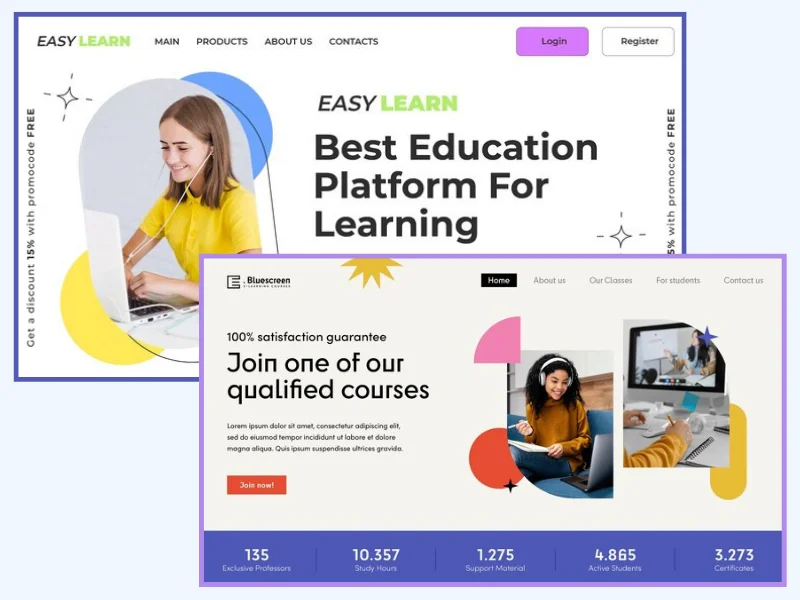
Make Your Institution’s Information Easier to Explore
When students and parents visit an educational institution’s website, they are often looking for specific details: available courses, eligibility requirements, admission dates, faculty information, facilities and contact details. If this information is difficult to locate, visitors may leave without understanding what the institution offers.
Our educational website design services focus on arranging these details into a clear and accessible website. The structure can be tailored to schools, colleges, universities, coaching centres, academies and professional training institutes.
Whether you need a straightforward institutional website or a larger platform with programme listings, enquiry workflows and student resources, the design and functionality can be planned around your organisation’s requirements.
Website Design for Schools, Colleges and Training Institutes
Each type of institution communicates different information. Your website should reflect your academic structure, audience and admission process.
Schools
Present school information, curriculum, facilities, activities, academic updates and admission details for parents and students.
Plan a school websiteColleges and Universities
Organise departments, degree programmes, faculty profiles, campus information and application guidance.
Plan a college websiteCoaching and Tuition Centres
Explain subjects, batches, teaching formats, schedules, course details and registration enquiries.
Plan an institute websiteOnline Learning Providers
Present online programmes, course formats, instructor information and links to supported learning platforms.
Plan an online learning websiteProfessional Training Institutes
Showcase skill-based programmes, training schedules, course outcomes and certification information where applicable.
Plan a training websiteAcademies and Learning Centres
Introduce learning programmes, teaching approaches, instructors, facilities and enrolment options.
Plan an academy websiteEssential Website Sections for an Educational Institution
Build a useful information structure that helps prospective students and families understand your institution before making an enquiry or application.
Give Every Important Section a Clear Place
Instead of placing all institutional information on one long page, organise it into relevant sections with descriptive headings and straightforward navigation.
Make Academic Programmes Easier to Compare
Prospective students need more than a course name. They may want to understand the subjects covered, programme duration, eligibility, learning format and how to apply.
A structured programme section helps visitors review these details without searching through unrelated pages.
Discuss Programme PagesUndergraduate Programmes
Programme overview, eligibility and application details.
Postgraduate Programmes
Course structure, departments and admission requirements.
Certificate and Short Courses
Course details, schedules and registration information.
Create a Clear Path from Course Discovery to Admission Enquiry
Admission-related information should be easy to locate and presented in an order that helps applicants understand what to do next.
Explore Programmes
Review available courses, departments and learning options.
Review Requirements
Find eligibility, documents, application dates and relevant guidance.
Make an Enquiry
Contact the institution or request information about the application process.
Take the Next Step
Follow the institution’s published application or registration instructions.
Admission forms, application portals, payment facilities and document uploads can be considered as separate functionality. Their availability depends on the institution’s process and technical requirements.
Features That Support Your Institution’s Daily Communication
Choose website features according to how your institution shares information, receives enquiries and manages its online presence. Not every organisation needs a complex student portal or learning management system.
Plan Your Website FeaturesAcademic Calendar and Events
Publish important dates, school events, seminars, workshops and institutional announcements.
Prospectus and Document Downloads
Make approved prospectuses, brochures, application instructions and other documents accessible.
Admission Enquiry Forms
Collect basic prospective-student contact details and programme interests for follow-up.
Faculty and Department Profiles
Present teaching staff, academic departments, leadership and relevant professional backgrounds.
News and Notice Updates
Share announcements, event updates, examination notices and other approved information.
Multi-language Website
Organise website content in additional languages when your institution serves multilingual audiences.
Campus and Activity Gallery
Showcase campus spaces, learning environments, events and institution-approved photographs.
External Platform Integration
Link or integrate suitable third-party systems for applications, learning resources or student services.
Need More Than an Informational Education Website?
Some institutions need additional tools beyond public-facing pages. Depending on the project, a website can connect with an existing learning management system, student portal or online course platform.
Possible requirements include course access links, learner login areas, learning resource libraries, online registration and connections to external education systems.
These features require separate planning because access permissions, user roles, data handling and platform compatibility can affect the project scope.
Discuss Platform RequirementsCourse Resources
Access learning materials and relevant course information.
Illustrative interface only. Actual portal and LMS functionality depends on the selected platform and project scope.
Keep Your Institution’s Website Information Up to Date
Academic information changes over time. New programmes may be introduced, admission dates updated, notices published and faculty details revised.
A WordPress website can provide editable content sections so authorised staff can manage routine updates through the website dashboard.
Explore WordPress Website DesignPage Content
Update institutional pages and programme descriptions.
Notices and News
Publish announcements and event information.
Images and Galleries
Manage approved campus and activity photographs.
Documents
Replace or add prospectuses and downloadable files.
Organise Information Around Students, Parents and Applicants
Different visitors come to an education website with different questions. The navigation should make it easy to identify the right information without requiring visitors to understand the institution’s internal structure.
Prospective Students
Course options, programme details, eligibility, fees information where supplied, and application guidance.
Parents and Families
Institution background, facilities, academic approach, contact details and important school information.
Current Students
Notices, academic calendars, learning resources and links to relevant student platforms.
Education Partners
Institutional information, departments, collaborations and official contact channels.
Help Search Engines Understand Your Academic Pages
Educational websites can contain many programmes, departments, announcements and resources. Clear page organisation helps visitors navigate the content and gives search engines meaningful context about each page.
Descriptive Programme Titles
Use clear page titles and headings that identify the programme, department or institutional subject.
Logical Academic Hierarchy
Organise institutions, departments, programmes and related information into a consistent structure.
Relevant Internal Links
Connect programme pages with admission information, faculty profiles and related resources.
Mobile-friendly Pages
Make important course and admission information accessible across different screen sizes.
Technical SEO Foundations
Support crawlable navigation, descriptive metadata, accessible page structure and appropriate image optimisation.
A well-structured website supports search engine understanding but does not guarantee rankings. Search visibility also depends on the quality and accuracy of content, competition, technical health and ongoing optimisation.
From Institutional Requirements to Website Launch
We plan the website around your organisation’s information structure, visitor needs and required functionality before moving into development.
Understand the Institution
Discuss the institution type, audience, academic structure, current website and project goals.
Plan Pages and Navigation
Organise programme pages, admission information, institutional sections and visitor pathways.
Design the Website
Create the visual direction, page layouts and responsive experience for the institution.
Develop and Configure
Build the approved pages and configure agreed forms, integrations and content features.
Review and Launch
Review page content, navigation, responsive layouts and agreed functionality before publication.
A Website Planned Around Your Institution’s Needs
An education website has to bring together academic information, institutional identity and practical visitor requirements. We focus on creating a structure that makes these details easier to present and manage.
Discuss Your Education WebsiteInstitution-specific Structure
Plan pages around your actual programmes, departments and institutional requirements.
Clear Admission Information
Give important application details and enquiry options a logical place in the website.
Responsive Presentation
Make programme, campus and contact information usable across devices.
Editable Content
Use a manageable structure for routine updates to pages, notices and resources.
Planned Functionality
Choose forms, integrations and additional features based on real operational needs.
Practical Project Scope
Discuss the required pages, content, functionality and expectations before development.
Planning a New Educational Website?
Tell us about your institution, academic programmes and website requirements. We can help plan a suitable structure for your next website project.
Educational Website Design – Common Questions
Answers to common questions about website planning, academic pages, admissions functionality and education platform requirements.
Planning a website for your institution?
The right structure depends on your organisation, the information you need to publish and the way students or applicants interact with you.
Discuss Your RequirementsWhat should an educational institution’s website include?
A typical education website may include an institutional profile, academic programmes, departments, faculty information, admission details, campus facilities, news, notices, contact information and enquiry forms. The final structure depends on the institution’s size and requirements.
Do you design websites for schools and colleges?
Yes. The website structure can be planned for schools, colleges, universities, coaching centres, academies and professional training institutes. Each project can have a different page structure based on its audience and academic offerings.
Can you create separate pages for each course or programme?
Yes. Individual programme pages can present course descriptions, duration, eligibility, subjects, learning format and application information supplied by the institution. This helps visitors review each programme without relying on a single general course listing.
Can the website include an online admission form?
An admission enquiry form or application form can be planned as part of the project. If the process requires document uploads, payments, applicant accounts or application tracking, those features need separate scope and security planning.
Can we publish academic calendars, notices and announcements?
Yes. The website can include sections for academic calendars, news, event information, examination notices and other institutional updates. Authorised staff can manage supported content through the website dashboard.
Can you integrate an LMS or student portal?
Where technically suitable, the website can link to or integrate with an existing learning management system or student portal. Custom login areas, user roles, course access and data connections need to be evaluated separately before confirming scope.
Can our staff update the website without a developer?
A WordPress website can be configured with editable pages and content sections. Authorised staff can receive guidance on updating supported information such as programme descriptions, notices, images and institutional pages.
Will the education website work on mobile phones?
Yes. Responsive layouts can adapt the website to mobile phones, tablets and desktop screens. This is particularly useful for visitors checking programme details, admission information and contact options on mobile devices.
How much does educational website design cost?
The cost depends on the number of pages, content requirements, custom design, forms, integrations and any portal or learning-platform functionality. Share your requirements to receive an estimate based on the actual project scope.
How long does it take to develop an educational website?
The timeline depends on the website size, number of programme pages, content readiness, design approvals and required functionality. A realistic schedule can be discussed after reviewing the project requirements.
Can you redesign our existing school or college website?
Yes. An existing website can be reviewed for navigation, content structure, mobile usability, visual presentation and technical requirements. The redesign plan should also consider existing URLs and content that need to be retained.
Will the website automatically appear at the top of Google?
No website design can guarantee a particular Google position. A clear website structure and search-friendly implementation provide a useful foundation, but visibility also depends on content quality, competition, reputation and ongoing SEO work.
Tell Us What Your Educational Website Needs to Do
Whether you represent a school, college, coaching centre or training institute, share your website goals and the features you want to include.
Share project and institutional contact details only. Do not submit student records, passwords or sensitive personal information through a general website enquiry form.
Discuss Your Education Website
Tell us about your institution and the website you want to build.